





Gaming PCs Built for
Microsoft Flight Simulator 2024
Flight Simulator 2024 is not GPU-bound at medium settings — it is CPU, RAM, and storage-bound at all settings. The sim streams photogrammetry scenery in real time. The right build starts with a fast processor, 32GB DDR5, and a rapid NVMe drive. The GPU determines what the result looks like. From rural touring at 1080p to 4K ultra London with payware aircraft, find the right spec below.
Browse the builds below or call Kevin on 01902 714533. Tell him whether you fly VR or flat screen, your scenery complexity, and your budget — he will confirm the right build. Kevin flies sims himself.


Grid List
15 Item(s)
-
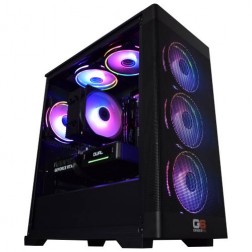 AMD Ryzen 5 7500X3D Nvidia RTX 5060 Gaming PC - G6 Apex 1
AMD Ryzen 5 7500X3D 6 core
A620 Motherboard
32GB+ DDR5 5200MHz
FAST 1TB M.2 NVMe SSD
8GB Nvidia RTX 5060 Graphics
FAST Wifi
Windows 11 Home£1,549.99
£1,549.99AMD Ryzen 5 7500X3D Nvidia RTX 5060 Gaming PC - G6 Apex 1AMD Ryzen 5 7500X3D 6 core
A620 Motherboard
32GB+ DDR5 5200MHz
FAST 1TB M.2 NVMe SSD
8GB Nvidia RTX 5060 Graphics
FAST Wifi
Windows 11 Home
-
 AMD Ryzen 7 7800X3D Nvidia RTX 5060 Ti Gaming PC - G6 Apex2
AMD Ryzen 7 7800X3D 8 core
B650 Motherboard
32GB+ DDR5 5200MHz
FAST 1TB M.2 NVMe SSD
16GB Nvidia RTX 5060 Ti Graphics
FAST Wifi & Bluetooth
Windows 11 Home£1,960.00
£1,960.00AMD Ryzen 7 7800X3D Nvidia RTX 5060 Ti Gaming PC - G6 Apex2AMD Ryzen 7 7800X3D 8 core
B650 Motherboard
32GB+ DDR5 5200MHz
FAST 1TB M.2 NVMe SSD
16GB Nvidia RTX 5060 Ti Graphics
FAST Wifi & Bluetooth
Windows 11 Home
-
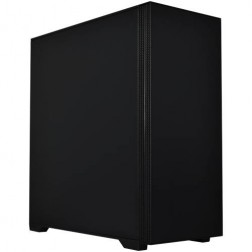 Ginger6 G6 Basalt — Software Development Workstation
An entry 12-core developer workstation for Visual Studio, Docker, WSL2, and light data science — built and stress-tested in Wolverhampton.
AMD Ryzen 9 9900X (12 Cores)
32GB DDR5 RAM
Nvidia RTX 5060 Ti 8GB
2TB NVMe SSD
Windows 11 Home
3-Year Warranty£1,871.99
£1,871.99Ginger6 G6 Basalt — Software Development WorkstationAn entry 12-core developer workstation for Visual Studio, Docker, WSL2, and light data science — built and stress-tested in Wolverhampton.
AMD Ryzen 9 9900X (12 Cores)
32GB DDR5 RAM
Nvidia RTX 5060 Ti 8GB
2TB NVMe SSD
Windows 11 Home
3-Year Warranty
-
 AMD Ryzen 7 7800X3D AMD Radeon RX 9070 XT Gaming PC - G6 Apex3 Radeon
AMD Ryzen 7 7800X3D 8 core
B650 Motherboard
32GB+ DDR5 5200MHz
FAST 1TB M.2 NVMe SSD
16GB Radeon RX 9070 XT Graphics
FAST Wifi & Bluetooth
Windows 11 Home£2,189.99
£2,189.99AMD Ryzen 7 7800X3D AMD Radeon RX 9070 XT Gaming PC - G6 Apex3 RadeonAMD Ryzen 7 7800X3D 8 core
B650 Motherboard
32GB+ DDR5 5200MHz
FAST 1TB M.2 NVMe SSD
16GB Radeon RX 9070 XT Graphics
FAST Wifi & Bluetooth
Windows 11 Home
-
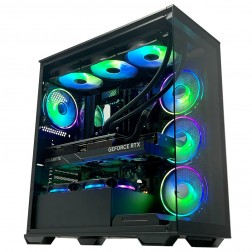 AMD Ryzen 7 7800X3D Nvidia RTX 5070 Gaming PC - G6 Apex3
AMD Ryzen 7 7800X3D 8 core
B650 Motherboard
32GB+ DDR5 5200MHz
FAST 1TB M.2 NVMe SSD
12GB Nvidia RTX 5070 Graphics
FAST Wifi & Bluetooth
Windows 11 Home£2,140.00
£2,140.00AMD Ryzen 7 7800X3D Nvidia RTX 5070 Gaming PC - G6 Apex3AMD Ryzen 7 7800X3D 8 core
B650 Motherboard
32GB+ DDR5 5200MHz
FAST 1TB M.2 NVMe SSD
12GB Nvidia RTX 5070 Graphics
FAST Wifi & Bluetooth
Windows 11 Home
-
 AMD Ryzen 7 9800X3D - RTX 5070 Flight Sim Gaming PC - G6 Sonic FSX3
AMD Ryzen 7 9800X3D 8 core
B650 Motherboard
32GB+ DDR5 5200MHz
2x FAST 1TB M.2 NVMe SSD
12GB Nvidia RTX 5070 Graphics
FAST Wifi & Bluetooth
Windows 11 Home£2,279.99
£2,279.99AMD Ryzen 7 9800X3D - RTX 5070 Flight Sim Gaming PC - G6 Sonic FSX3AMD Ryzen 7 9800X3D 8 core
B650 Motherboard
32GB+ DDR5 5200MHz
2x FAST 1TB M.2 NVMe SSD
12GB Nvidia RTX 5070 Graphics
FAST Wifi & Bluetooth
Windows 11 Home
-
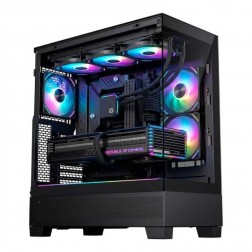 AMD Ryzen 7 9800X3D Nvidia RTX 5070 Ti Gaming PC - G6 Apex 4
AMD Ryzen 7 9800X3D 8 core
B650 Motherboard
32GB+ DDR5 5200MHz
FAST 1TB M.2 NVMe SSD
12GB Nvidia RTX 5070 Ti Graphics
FAST Wifi & Bluetooth
Windows 11 Home£2,680.00
£2,680.00AMD Ryzen 7 9800X3D Nvidia RTX 5070 Ti Gaming PC - G6 Apex 4AMD Ryzen 7 9800X3D 8 core
B650 Motherboard
32GB+ DDR5 5200MHz
FAST 1TB M.2 NVMe SSD
12GB Nvidia RTX 5070 Ti Graphics
FAST Wifi & Bluetooth
Windows 11 Home
-
 Ginger6 G6 Graphite — Engineering and Developer Workstation
A 16-core professional workstation for microservices development, engineering simulation, large data science workflows, and AI/ML entry-level fine-tuning — built in Wolverhampton.
AMD Ryzen 9 9950X (16 Cores)
64GB DDR5 RAM
Nvidia RTX 5060 Ti 16GB
2TB NVMe SSD
Windows 11 Pro
3-Year Warranty£2,509.99
£2,509.99Ginger6 G6 Graphite — Engineering and Developer WorkstationA 16-core professional workstation for microservices development, engineering simulation, large data science workflows, and AI/ML entry-level fine-tuning — built in Wolverhampton.
AMD Ryzen 9 9950X (16 Cores)
64GB DDR5 RAM
Nvidia RTX 5060 Ti 16GB
2TB NVMe SSD
Windows 11 Pro
3-Year Warranty
-
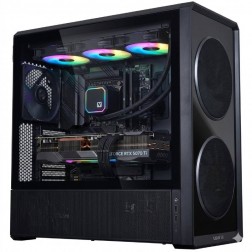 AMD Ryzen 9 9950X3D Nvidia RTX 5080 Gaming PC - G6 Apex 5
AMD Ryzen 9 9950X3D 16 core
X870 Motherboard
32GB+ DDR5 5200MHz
FAST 1TB M.2 NVMe SSD
12GB Nvidia RTX 5080 Graphics
FAST Wifi & Bluetooth
Windows 11 Home£3,280.00
£3,280.00AMD Ryzen 9 9950X3D Nvidia RTX 5080 Gaming PC - G6 Apex 5AMD Ryzen 9 9950X3D 16 core
X870 Motherboard
32GB+ DDR5 5200MHz
FAST 1TB M.2 NVMe SSD
12GB Nvidia RTX 5080 Graphics
FAST Wifi & Bluetooth
Windows 11 Home
-
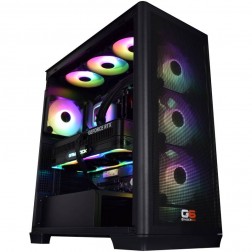 Ginger6 G6 Chromite — Large-Scale Engineering and Data Workstation
A high-capacity 16-core workstation for large ANSYS CFD simulation, very large data science datasets, local Kubernetes, and CPU rendering — built in Wolverhampton.
AMD Ryzen 9 9950X (16 Cores)
128GB DDR5 RAM
Nvidia RTX 5070 12GB
2TB NVMe + 2TB NVMe
Windows 11 Pro
3-Year Warranty£3,880.00
£3,880.00Ginger6 G6 Chromite — Large-Scale Engineering and Data WorkstationA high-capacity 16-core workstation for large ANSYS CFD simulation, very large data science datasets, local Kubernetes, and CPU rendering — built in Wolverhampton.
AMD Ryzen 9 9950X (16 Cores)
128GB DDR5 RAM
Nvidia RTX 5070 12GB
2TB NVMe + 2TB NVMe
Windows 11 Pro
3-Year Warranty
-
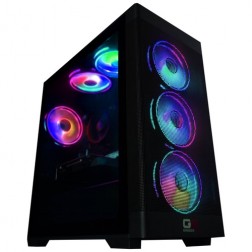 Intel Core Ultra 5 245Kf - RTX 5060 Ti Flight Sim Gaming PC - G6 Sonic FSX1
Intel Core Ultra 5 245KF 14 core
B860 Motherboard
16GB+ DDR5 5200MHz
2x FAST 1TB M.2 NVMe SSD
8GB Nvidia RTX 5060 Ti Graphics
FAST Wifi & Bluetooth
Windows 11 Home£1,529.99
£1,529.99Intel Core Ultra 5 245Kf - RTX 5060 Ti Flight Sim Gaming PC - G6 Sonic FSX1Intel Core Ultra 5 245KF 14 core
B860 Motherboard
16GB+ DDR5 5200MHz
2x FAST 1TB M.2 NVMe SSD
8GB Nvidia RTX 5060 Ti Graphics
FAST Wifi & Bluetooth
Windows 11 Home
-
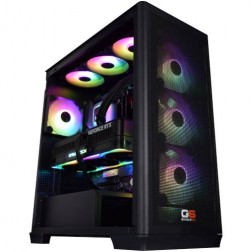 AMD Ryzen 9 9950X3D Nvidia RTX 5090 Gaming PC - G6 Apex 6
AMD Ryzen 9 9950X3D 16 core
X870 Motherboard
64GB+ DDR5 5200MHz
FAST 1TB M.2 NVMe SSD
32GB Nvidia RTX 5090 Graphics
FAST Wifi & Bluetooth
Windows 11 Home£5,399.99
£5,399.99AMD Ryzen 9 9950X3D Nvidia RTX 5090 Gaming PC - G6 Apex 6AMD Ryzen 9 9950X3D 16 core
X870 Motherboard
64GB+ DDR5 5200MHz
FAST 1TB M.2 NVMe SSD
32GB Nvidia RTX 5090 Graphics
FAST Wifi & Bluetooth
Windows 11 Home
-
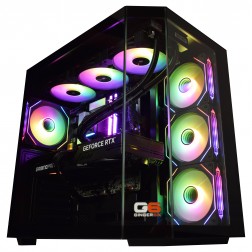 Intel Core Ultra 7 265Kf - RTX 5070 Ti Flight Sim Gaming PC - G6 Sonic FSX4
Intel Core Ultra 7 265Kf 20 core
Z890 Motherboard
32GB+ DDR5 5200MHz
2x FAST 1TB M.2 NVMe SSD
16GB Nvidia RTX 5070 Ti Graphics
FAST Wifi & Bluetooth
Windows 11 Home£2,579.99 Configure from: £255.00
£2,579.99 Configure from: £255.00Intel Core Ultra 7 265Kf - RTX 5070 Ti Flight Sim Gaming PC - G6 Sonic FSX4Intel Core Ultra 7 265Kf 20 core
Z890 Motherboard
32GB+ DDR5 5200MHz
2x FAST 1TB M.2 NVMe SSD
16GB Nvidia RTX 5070 Ti Graphics
FAST Wifi & Bluetooth
Windows 11 Home
-
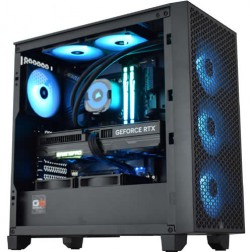 Intel Core i9 14900K RTX 5080 Flight Sim Gaming PC - G6 Sonic FSX5
Intel Core i9 14900Kf 24 core
Z790 Motherboard
32GB+ DDR5 5200MHz
2x FAST 1TB M.2 NVMe SSD
16GB Nvidia RTX 5080 Graphics
FAST Wifi & Bluetooth
Windows 11 Home£3,119.99 Configure from: £693.00
£3,119.99 Configure from: £693.00Intel Core i9 14900K RTX 5080 Flight Sim Gaming PC - G6 Sonic FSX5Intel Core i9 14900Kf 24 core
Z790 Motherboard
32GB+ DDR5 5200MHz
2x FAST 1TB M.2 NVMe SSD
16GB Nvidia RTX 5080 Graphics
FAST Wifi & Bluetooth
Windows 11 Home
-
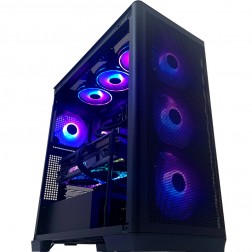 Intel Core i9 14900K RTX 5090 Flight Sim Gaming PC - G6 Sonic FSX6
Intel Core i9 14900Kf 24 core
Z790 Motherboard
32GB+ DDR5 5200MHz
2x FAST 1TB M.2 NVMe SSD
32GB Nvidia RTX 5090 Graphics
FAST Wifi & Bluetooth
Windows 11 Home£5,029.99 Configure from: £2,027.00
£5,029.99 Configure from: £2,027.00Intel Core i9 14900K RTX 5090 Flight Sim Gaming PC - G6 Sonic FSX6Intel Core i9 14900Kf 24 core
Z790 Motherboard
32GB+ DDR5 5200MHz
2x FAST 1TB M.2 NVMe SSD
32GB Nvidia RTX 5090 Graphics
FAST Wifi & Bluetooth
Windows 11 Home
Grid List
15 Item(s)
What Does Flight Simulator 2024 Need?
CPU and RAM are the primary bottleneck. The GPU determines resolution and visual quality once the CPU and RAM are adequately provisioned. Performance varies significantly between dense cities and rural flying — the figures below reflect mixed use.
What You Get at Each Price Point
Four tiers, four different MSFS 2024 experiences. The upgrade path is CPU and storage first, GPU second — unlike most game genres.


Why MSFS 2024 Needs a Different Approach
Microsoft Flight Simulator 2024 does not work like other games. When you fly over London, the terrain you see was photogrammed from the real world and is being streamed from Bing servers and your local storage simultaneously. The CPU coordinates this streaming process, deciding which tiles to load, at what resolution, and in what order, while simultaneously processing the aircraft's systems, weather, ATC, and AI traffic. The GPU's job does not begin until the CPU has finished delivering all of that data.
This is why AMD Ryzen X3D processors deliver a genuine, measurable advantage in MSFS 2024. The large 3D V-Cache stores more of the scenery tile data the CPU needs in its fastest memory tier — eliminating the stalls that occur when data has to be fetched from RAM. A Ryzen 7 X3D at a mid-range build will outperform a faster-clocked non-X3D processor in this specific workload. For the full picture on simulation gaming PCs, the sub-hub covers all titles and their shared CPU-led hardware logic.
Performance also varies considerably by location. Flying over rural Devon or the Scottish Highlands at any settings tier is significantly smoother than approaching Heathrow with dense payware scenery and a full PMDG aircraft loaded. The figures in the tier breakdown reflect mixed-use flying. If you fly primarily in photogrammetric cities with complex add-ons, size one tier higher than your target. The storage drive matters too: a Gen4 or Gen5 NVMe drive with sequential read speeds above 5,000 MB/s reduces the scenery pop-in that slower drives cause when the sim outpaces their read throughput.
Medium vs Ultra Settings
The same approach into a photogrammetric city. Left: medium settings at 1080p on an entry build. Right: ultra settings at 1440p on a high-end build with DLSS engaged.


Which Pilot Are You?

The Scenic VFR Pilot
You fly for the scenery and the experience, not for procedures. Default aircraft, real-weather flying, exploring new regions. An entry or mid-range build handles this well at 1080p to 1440p. You do not need a Ryzen 9 X3D — a Ryzen 7 X3D covers your workload without overspending.
Browse Entry Builds
The Study-Level Pilot
You fly PMDG, Fenix, or Majestic aircraft with full FMS, real SIDs and STARs, and Orbx or Global Airport scenery. This combination stresses both CPU and RAM heavily. A high-end build is the starting point — the Ryzen 9 X3D manages the CPU load without frame drops during complex approaches into payware airports.
Browse High-End Builds
The VR Pilot
VR doubles the GPU workload alongside an already CPU-intensive sim. The combination makes MSFS 2024 in VR one of the most demanding consumer PC workloads available. An enthusiast build is the right tier for a smooth, absorbing experience. Call Kevin with your headset model — resolution and refresh rate vary significantly across VR headsets and affect the GPU spec needed.
Browse Enthusiast BuildsOther Demanding Simulations
Builds Chosen for Flight Simulator 2024
The G6 Sonic FSX range is Ginger6's dedicated flight simulation line, built around the hardware that delivers the best MSFS 2024 experience at each price point. Every FSX build ships hand-assembled from Wolverhampton, stress-tested for 24 hours, and backed by a 3-year warranty.
G6 Sonic FSX3
AMD Ryzen 7 X3D, NVIDIA RTX 5070, 32GB DDR5. The recommended mid-range FSX build for most sim pilots. Handles 1440p at high settings with DLSS and third-party add-ons. The X3D cache makes a measurable difference in MSFS 2024 scenery streaming performance.
From £2279
View FSX3G6 Sonic FSX5
AMD Ryzen 9 X3D, NVIDIA RTX 5070 Ti, 32GB DDR5. For study-level aircraft with payware scenery at 1440p ultra. The Ryzen 9 X3D manages the heaviest MSFS 2024 CPU loads without dropping frames during complex approaches.
From £3119
View FSX5G6 Sonic FSX6
Intel Core i9 / Ryzen 9 X3D, NVIDIA RTX 5090 32GB, 64GB DDR5. The flagship FSX build for 4K ultra with the most complex add-on libraries, and for VR flying without compromise. No ceiling for any scenario MSFS 2024 can generate.
From £5029
View FSX6Not sure which FSX build is right for your scenery library and add-ons? Call Kevin on 01902 714533. He flies sims himself and will advise on the right spec for your specific setup.

Built for the Serious Sim Pilot
Every G6 Sonic FSX machine is assembled by hand in Wolverhampton. Cable management is planned for airflow, not aesthetics — components run cooler and the system sustains performance during long cross-Atlantic flights. BIOS memory profiles, XMP settings, and firmware are confirmed before dispatch. The 24-hour stress test includes sustained CPU load scenarios that simulate the photogrammetry streaming demands of MSFS 2024 at high settings.
The 3-year Ginger6 warranty covers parts and labour as standard. Kevin is reachable by phone and email for the life of the machine. If something needs attention, it gets attention — no call centre, no ticket system.
Call Kevin on 01902 714533From Sim Pilots
Simulation buyers are the most technically specific customers Ginger6 serves. They know their hardware, their scenery library, and their add-ons. The reviews below are from pilots who called Kevin, described their setup, and received a machine that delivered exactly what they needed.
"I needed to upgrade my PC to handle the 4K ultra graphics in my MS flight sim. After a chat with Kevin and a few suggestions from him, I agreed on a very competitive price and a week later my new computer was ready for collection. I've had my computer from Ginger6 for just over a year now and it has coped with everything I could throw at it with ease. Great product, great price, great company."
"Many thanks to Kevin and his team. With his guidance, I got the exact spec computer I required for my online flight simulator needs. Excellent courteous service with on-time delivery. Would recommend Ginger6 to anybody with specialist computer requirements or not."
"I would rate this pc builder as second to none, I have had no problems with my pc. As I am a sim-racer I therefore need ultra quick responses which you get! Simply tell Ginger6 what you wish from your pc and I give my word you will not be disappointed!"
Questions About MSFS 2024 Builds
MSFS 2024 constantly streams photogrammetry scenery tiles while simultaneously processing aircraft systems, weather, ATC, and AI. This data-intensive workload causes frequent CPU cache misses when the processor cannot find the data it needs in its local cache and has to fetch it from RAM. AMD Ryzen X3D processors carry up to 96MB of L3 cache — three to four times more than equivalent non-X3D processors — which significantly reduces how often the CPU stalls waiting for data. The result is more consistent frame delivery, lower frame time variance, and smoother scenery loading, particularly in dense photogrammetric cities.
Yes, more than in most games. MSFS 2024 streams photogrammetry data from local storage and the internet simultaneously. When storage read speeds are slow, the sim outpaces the drive's ability to deliver scenery data and the result is blurry ground textures, pop-in, and loading hitches as you approach airports. A Gen4 NVMe drive with read speeds above 5,000 MB/s is the minimum recommended. A Gen5 drive at 10,000+ MB/s removes storage as a bottleneck entirely. SATA SSDs and hard drives are not suitable for MSFS 2024.
32GB DDR5 covers most configurations, including payware aircraft and popular Orbx scenery. Where 32GB becomes limiting is in the most add-on-heavy setups: multiple large Orbx scenery regions loaded simultaneously, complex payware airports with high-detail ground textures, and high-fidelity aircraft with full avionics systems. If that describes your library, 64GB is the right choice. If you are not sure whether your specific add-on combination will push beyond 32GB, call Kevin — he can advise based on what you fly and where.
Dense photogrammetric cities like London, New York, and Tokyo are the most CPU and storage-intensive areas in MSFS 2024. The sim is streaming thousands of high-resolution building and terrain tiles in real time, and the density of the environment means more tiles, more draw calls, and more data passing through the CPU simultaneously. Rural and coastal flying places a fraction of this load on the system. A build that runs smoothly over Scotland will show its limits over central London with payware scenery. If London or other dense cities are part of your regular flying, size your build for that scenario — not the easier one.
VR renders two full frames simultaneously — one per eye — which approximately doubles the GPU workload on top of an already CPU-intensive simulation. This makes MSFS 2024 in VR one of the most demanding consumer PC workloads. A high-end build (RTX 5070 Ti, Ryzen 9 X3D, 32GB DDR5) is the minimum for a usable VR experience with reduced settings. For smooth VR with high fidelity and add-ons, an enthusiast build with an RTX 5080 or 5090 is the right target. The specific VR headset also matters — higher-resolution headsets require more GPU power. Call Kevin with your headset model and he will confirm the right spec.
MSFS 2024 supports DLSS for NVIDIA RTX GPUs and FSR for AMD Radeon GPUs. DLSS renders at a lower internal resolution and uses AI upscaling to reconstruct the output at a higher display resolution, which reduces GPU workload substantially. In practice this means a mid-range RTX 5070 can deliver 1440p image quality at GPU load closer to 1080p rendering. DLSS is recommended at high-end and enthusiast tiers for 4K. At the mid-range tier, enabling DLSS Quality mode at 1440p delivers a good image with meaningful performance headroom. Note: DLSS helps the GPU — it does not reduce the CPU or storage bottleneck.
The G6 Sonic FSX range is Ginger6's dedicated flight simulation line, built around AMD Ryzen X3D processors and NVIDIA RTX GPUs chosen specifically for MSFS 2024 performance. The FSX3 covers the mid-range pilot flying with standard add-ons. The FSX5 is for study-level aircraft with payware scenery. The FSX6 is the flagship for 4K ultra and VR with no add-on ceiling. If you are unsure which model covers your specific aircraft and scenery library, call Kevin on 01902 714533. He flies flight simulators himself and can advise based on what you actually fly — not a generic spec sheet.
Yes, with similar performance characteristics. DCS World and X-Plane 12 are both CPU and RAM intensive — a build optimised for MSFS 2024 transfers well. The key distinction is DCS World in VR, which is more demanding than MSFS 2024 in VR and may require an enthusiast build if VR in DCS is your primary target. X-Plane 12 is better threaded than MSFS 2024 and generally runs well on the same hardware. If you fly across multiple simulators, call Kevin with the full list — he will confirm whether a single build covers all of them at your target settings.
Find the Right Build for Flight Simulator 2024
Browse the G6 Sonic FSX range or call Kevin directly. Tell him what you fly, your scenery library, whether you use VR, and your budget. He will confirm the right build for your setup.