




Gaming PCs Built for DCS World
DCS World is one of the most CPU and RAM intensive consumer PC workloads available. A full-fidelity module running on a large map with AI, dynamic weather, and mission scripting pushes the CPU hard. 32GB RAM is the minimum — 64GB is recommended for VR and complex campaigns. The GPU determines what the result looks like. The CPU and RAM determine whether it runs.
Browse the builds below or call Kevin on 01902 714533. Tell him the modules you fly, which maps you use most, whether you use VR, and your budget. Kevin flies sims himself and will give you a straight answer on the right spec.


Grid List
14 Item(s)
-
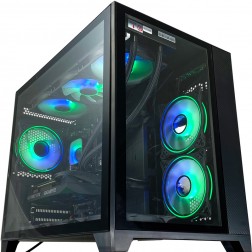 Intel Core Ultra 7 265Kf - 16GB RTX 5060 Ti Flight Sim PC - G6 Sonic FSX2
Intel Core Ultra 7 265Kf 20 core
B760 Motherboard
16GB+ DDR5 5200MHz
2x FAST 1TB M.2 NVMe SSD
16GB Nvidia RTX 5060 Ti Graphics
FAST Wifi & Bluetooth
Windows 11 Home£1,795.99
£1,795.99Intel Core Ultra 7 265Kf - 16GB RTX 5060 Ti Flight Sim PC - G6 Sonic FSX2Intel Core Ultra 7 265Kf 20 core
B760 Motherboard
16GB+ DDR5 5200MHz
2x FAST 1TB M.2 NVMe SSD
16GB Nvidia RTX 5060 Ti Graphics
FAST Wifi & Bluetooth
Windows 11 Home
-
 Ginger6 G6 Graphite — Engineering and Developer Workstation
A 16-core professional workstation for microservices development, engineering simulation, large data science workflows, and AI/ML entry-level fine-tuning — built in Wolverhampton.
AMD Ryzen 9 9950X (16 Cores)
64GB DDR5 RAM
Nvidia RTX 5060 Ti 16GB
2TB NVMe SSD
Windows 11 Pro
3-Year Warranty£2,509.99
£2,509.99Ginger6 G6 Graphite — Engineering and Developer WorkstationA 16-core professional workstation for microservices development, engineering simulation, large data science workflows, and AI/ML entry-level fine-tuning — built in Wolverhampton.
AMD Ryzen 9 9950X (16 Cores)
64GB DDR5 RAM
Nvidia RTX 5060 Ti 16GB
2TB NVMe SSD
Windows 11 Pro
3-Year Warranty
-
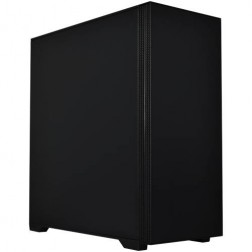 Ginger6 G6 Basalt — Software Development Workstation
An entry 12-core developer workstation for Visual Studio, Docker, WSL2, and light data science — built and stress-tested in Wolverhampton.
AMD Ryzen 9 9900X (12 Cores)
32GB DDR5 RAM
Nvidia RTX 5060 Ti 8GB
2TB NVMe SSD
Windows 11 Home
3-Year Warranty£1,871.99
£1,871.99Ginger6 G6 Basalt — Software Development WorkstationAn entry 12-core developer workstation for Visual Studio, Docker, WSL2, and light data science — built and stress-tested in Wolverhampton.
AMD Ryzen 9 9900X (12 Cores)
32GB DDR5 RAM
Nvidia RTX 5060 Ti 8GB
2TB NVMe SSD
Windows 11 Home
3-Year Warranty
-
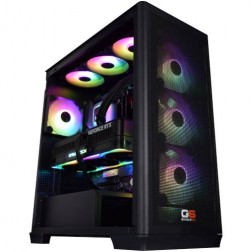 AMD Ryzen 9 9950X3D Nvidia RTX 5090 Gaming PC - G6 Apex 6
AMD Ryzen 9 9950X3D 16 core
X870 Motherboard
64GB+ DDR5 5200MHz
FAST 1TB M.2 NVMe SSD
32GB Nvidia RTX 5090 Graphics
FAST Wifi & Bluetooth
Windows 11 Home£5,399.99
£5,399.99AMD Ryzen 9 9950X3D Nvidia RTX 5090 Gaming PC - G6 Apex 6AMD Ryzen 9 9950X3D 16 core
X870 Motherboard
64GB+ DDR5 5200MHz
FAST 1TB M.2 NVMe SSD
32GB Nvidia RTX 5090 Graphics
FAST Wifi & Bluetooth
Windows 11 Home
-
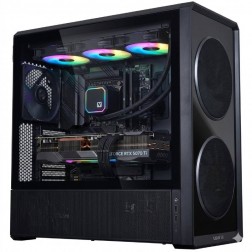 AMD Ryzen 9 9950X3D Nvidia RTX 5080 Gaming PC - G6 Apex 5
AMD Ryzen 9 9950X3D 16 core
X870 Motherboard
32GB+ DDR5 5200MHz
FAST 1TB M.2 NVMe SSD
12GB Nvidia RTX 5080 Graphics
FAST Wifi & Bluetooth
Windows 11 Home£3,280.00
£3,280.00AMD Ryzen 9 9950X3D Nvidia RTX 5080 Gaming PC - G6 Apex 5AMD Ryzen 9 9950X3D 16 core
X870 Motherboard
32GB+ DDR5 5200MHz
FAST 1TB M.2 NVMe SSD
12GB Nvidia RTX 5080 Graphics
FAST Wifi & Bluetooth
Windows 11 Home
-
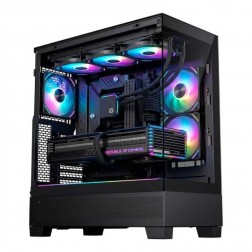 AMD Ryzen 7 9800X3D Nvidia RTX 5070 Ti Gaming PC - G6 Apex 4
AMD Ryzen 7 9800X3D 8 core
B650 Motherboard
32GB+ DDR5 5200MHz
FAST 1TB M.2 NVMe SSD
12GB Nvidia RTX 5070 Ti Graphics
FAST Wifi & Bluetooth
Windows 11 Home£2,680.00
£2,680.00AMD Ryzen 7 9800X3D Nvidia RTX 5070 Ti Gaming PC - G6 Apex 4AMD Ryzen 7 9800X3D 8 core
B650 Motherboard
32GB+ DDR5 5200MHz
FAST 1TB M.2 NVMe SSD
12GB Nvidia RTX 5070 Ti Graphics
FAST Wifi & Bluetooth
Windows 11 Home
-
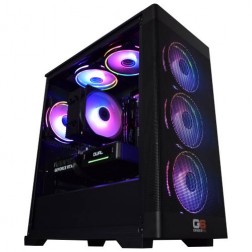 AMD Ryzen 5 7500X3D Nvidia RTX 5060 Gaming PC - G6 Apex 1
AMD Ryzen 5 7500X3D 6 core
A620 Motherboard
32GB+ DDR5 5200MHz
FAST 1TB M.2 NVMe SSD
8GB Nvidia RTX 5060 Graphics
FAST Wifi
Windows 11 Home£1,549.99
£1,549.99AMD Ryzen 5 7500X3D Nvidia RTX 5060 Gaming PC - G6 Apex 1AMD Ryzen 5 7500X3D 6 core
A620 Motherboard
32GB+ DDR5 5200MHz
FAST 1TB M.2 NVMe SSD
8GB Nvidia RTX 5060 Graphics
FAST Wifi
Windows 11 Home
-
 AMD Ryzen 7 7800X3D AMD Radeon RX 9070 XT Gaming PC - G6 Apex3 Radeon
AMD Ryzen 7 7800X3D 8 core
B650 Motherboard
32GB+ DDR5 5200MHz
FAST 1TB M.2 NVMe SSD
16GB Radeon RX 9070 XT Graphics
FAST Wifi & Bluetooth
Windows 11 Home£2,189.99
£2,189.99AMD Ryzen 7 7800X3D AMD Radeon RX 9070 XT Gaming PC - G6 Apex3 RadeonAMD Ryzen 7 7800X3D 8 core
B650 Motherboard
32GB+ DDR5 5200MHz
FAST 1TB M.2 NVMe SSD
16GB Radeon RX 9070 XT Graphics
FAST Wifi & Bluetooth
Windows 11 Home
-
 AMD Ryzen 7 7800X3D Nvidia RTX 5060 Ti Gaming PC - G6 Apex2
AMD Ryzen 7 7800X3D 8 core
B650 Motherboard
32GB+ DDR5 5200MHz
FAST 1TB M.2 NVMe SSD
16GB Nvidia RTX 5060 Ti Graphics
FAST Wifi & Bluetooth
Windows 11 Home£1,960.00
£1,960.00AMD Ryzen 7 7800X3D Nvidia RTX 5060 Ti Gaming PC - G6 Apex2AMD Ryzen 7 7800X3D 8 core
B650 Motherboard
32GB+ DDR5 5200MHz
FAST 1TB M.2 NVMe SSD
16GB Nvidia RTX 5060 Ti Graphics
FAST Wifi & Bluetooth
Windows 11 Home
-
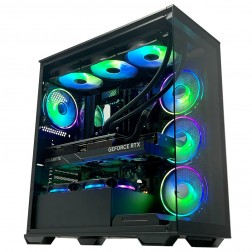 AMD Ryzen 7 7800X3D Nvidia RTX 5070 Gaming PC - G6 Apex3
AMD Ryzen 7 7800X3D 8 core
B650 Motherboard
32GB+ DDR5 5200MHz
FAST 1TB M.2 NVMe SSD
12GB Nvidia RTX 5070 Graphics
FAST Wifi & Bluetooth
Windows 11 Home£2,140.00
£2,140.00AMD Ryzen 7 7800X3D Nvidia RTX 5070 Gaming PC - G6 Apex3AMD Ryzen 7 7800X3D 8 core
B650 Motherboard
32GB+ DDR5 5200MHz
FAST 1TB M.2 NVMe SSD
12GB Nvidia RTX 5070 Graphics
FAST Wifi & Bluetooth
Windows 11 Home
-
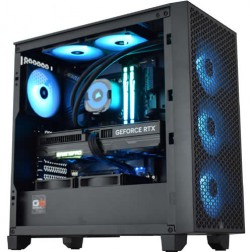 Intel Core i9 14900K RTX 5080 Flight Sim Gaming PC - G6 Sonic FSX5
Intel Core i9 14900Kf 24 core
Z790 Motherboard
32GB+ DDR5 5200MHz
2x FAST 1TB M.2 NVMe SSD
16GB Nvidia RTX 5080 Graphics
FAST Wifi & Bluetooth
Windows 11 Home£3,119.99 Configure from: £693.00
£3,119.99 Configure from: £693.00Intel Core i9 14900K RTX 5080 Flight Sim Gaming PC - G6 Sonic FSX5Intel Core i9 14900Kf 24 core
Z790 Motherboard
32GB+ DDR5 5200MHz
2x FAST 1TB M.2 NVMe SSD
16GB Nvidia RTX 5080 Graphics
FAST Wifi & Bluetooth
Windows 11 Home
-
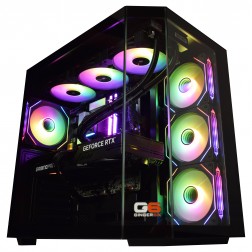 Intel Core Ultra 7 265Kf - RTX 5070 Ti Flight Sim Gaming PC - G6 Sonic FSX4
Intel Core Ultra 7 265Kf 20 core
Z890 Motherboard
32GB+ DDR5 5200MHz
2x FAST 1TB M.2 NVMe SSD
16GB Nvidia RTX 5070 Ti Graphics
FAST Wifi & Bluetooth
Windows 11 Home£2,579.99 Configure from: £255.00
£2,579.99 Configure from: £255.00Intel Core Ultra 7 265Kf - RTX 5070 Ti Flight Sim Gaming PC - G6 Sonic FSX4Intel Core Ultra 7 265Kf 20 core
Z890 Motherboard
32GB+ DDR5 5200MHz
2x FAST 1TB M.2 NVMe SSD
16GB Nvidia RTX 5070 Ti Graphics
FAST Wifi & Bluetooth
Windows 11 Home
-
 AMD Ryzen 7 9800X3D - RTX 5070 Flight Sim Gaming PC - G6 Sonic FSX3
AMD Ryzen 7 9800X3D 8 core
B650 Motherboard
32GB+ DDR5 5200MHz
2x FAST 1TB M.2 NVMe SSD
12GB Nvidia RTX 5070 Graphics
FAST Wifi & Bluetooth
Windows 11 Home£2,279.99
£2,279.99AMD Ryzen 7 9800X3D - RTX 5070 Flight Sim Gaming PC - G6 Sonic FSX3AMD Ryzen 7 9800X3D 8 core
B650 Motherboard
32GB+ DDR5 5200MHz
2x FAST 1TB M.2 NVMe SSD
12GB Nvidia RTX 5070 Graphics
FAST Wifi & Bluetooth
Windows 11 Home
-
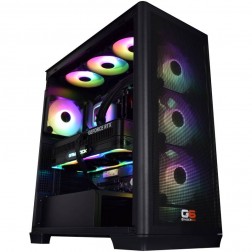 Ginger6 G6 Chromite — Large-Scale Engineering and Data Workstation
A high-capacity 16-core workstation for large ANSYS CFD simulation, very large data science datasets, local Kubernetes, and CPU rendering — built in Wolverhampton.
AMD Ryzen 9 9950X (16 Cores)
128GB DDR5 RAM
Nvidia RTX 5070 12GB
2TB NVMe + 2TB NVMe
Windows 11 Pro
3-Year Warranty£3,880.00
£3,880.00Ginger6 G6 Chromite — Large-Scale Engineering and Data WorkstationA high-capacity 16-core workstation for large ANSYS CFD simulation, very large data science datasets, local Kubernetes, and CPU rendering — built in Wolverhampton.
AMD Ryzen 9 9950X (16 Cores)
128GB DDR5 RAM
Nvidia RTX 5070 12GB
2TB NVMe + 2TB NVMe
Windows 11 Pro
3-Year Warranty
Grid List
14 Item(s)
What Does DCS World Need?
CPU and RAM are the primary bottleneck. 32GB RAM is the minimum for any serious DCS use — 64GB is recommended for VR and complex multi-asset missions. The GPU determines visual quality once CPU and RAM are adequately provisioned.
What You Get at Each Price Point
DCS World scales from single-module flat-screen flying on small maps to complex multi-asset VR campaigns on the largest maps available. The tier that is right for you depends on which end of that spectrum you fly.


Why DCS World Is Different to Everything Else
DCS World's mission simulation engine is what separates it from every other consumer flight simulator. When you fly a mission with AI ground forces, enemy air defence, wingmen, and dynamic weather, the CPU is simultaneously calculating SAM engagement zones, AI decision trees, radar emissions, datalink processing, and the full avionics stack of your own module. The core physics and AI loop runs primarily on a single CPU thread — which means clock speed and cache depth matter far more than core count.
This is why AMD Ryzen X3D processors are the most effective consumer CPUs for DCS World. Their large 3D V-Cache stores the frequently reused simulation data — AI states, radar geometries, weapon trajectory tables — in fast cache rather than fetching it from RAM on each physics step. The result is reduced frame time variance during complex engagements, which is exactly when a consistent frame rate matters most. For comparison with other CPU-intensive simulations like Microsoft Flight Simulator 2024, both titles use X3D processors for the same reason. The full context is on the simulation gaming hub.
VR in DCS World is the most demanding combination available in consumer simulation. The CPU runs the full mission simulation while the GPU renders two frames simultaneously. Performance also varies significantly by map: Caucasus and Nevada are significantly less demanding than Syria, Mariana Islands, or South Atlantic — which feature denser terrain data and more complex scenery. If you primarily fly Syria or VR missions, size the build for that scenario, not the easier one. 32GB RAM is the minimum for any serious DCS use — 64GB is the practical recommendation for VR and complex campaigns, as DCS has a well-documented tendency to consume available system memory on large, scripted missions.
Low vs High Settings
The same cockpit view over the same terrain at low and high visual settings. DCS World's cockpit modelling is high-fidelity at all tiers — the biggest visual difference is in terrain, shadows, and draw distance.


Which DCS Pilot Are You?

The Flat-Screen Pilot
Flying one or two high-fidelity modules on Caucasus and Persian Gulf, primarily in multiplayer servers. A mid-range build with Ryzen 7 X3D and 32GB DDR5 covers most of what these servers generate. You want consistent frame delivery in BFM and ACM, not necessarily maximum visual fidelity.
Browse Mid-Range Builds
The VR Pilot
DCS World in VR is the pinnacle of consumer flight simulation — and one of the most demanding workloads a PC can run. CPU, RAM, and GPU are all taxed simultaneously. A high-end or enthusiast build is the realistic minimum for an acceptable VR experience. 64GB DDR5 is strongly recommended. Call Kevin with your headset model to confirm the right spec.
Browse High-End Builds
The Campaign Pilot
Syria map, complex campaign scripting, multiple AI task forces, dynamic weather, and a library of modules across different theatres. This is the hardest thing DCS World can generate on a PC. The enthusiast build with 64GB DDR5 is the right starting tier — the memory headroom is not optional at this scale of mission.
Browse Enthusiast BuildsAlso Worth Considering
Builds Chosen for DCS World
Every build is hand-assembled in Wolverhampton and stress-tested for 24 hours before dispatch. DCS World is a sustained CPU and RAM workload — the stress test reflects this, running extended CPU load scenarios rather than synthetic bursts. Kevin flies sims himself and can advise on the right spec for your modules and maps without guesswork.
Ryzen 7 X3D / RTX 5070
1440p on Caucasus, Nevada, and Persian Gulf. Multiplayer server performance across most common DCS scenarios. 32GB DDR5. The practical starting point for pilots with one or two high-fidelity modules flying regular server sessions.
From £1799
View BuildRyzen 9 X3D / RTX 5070 Ti
Syria and Mariana maps. VR at medium-high settings. 64GB DDR5 removes the memory ceiling on complex campaigns. The right tier for serious DCS pilots with a large module library. The 3-year Ginger6 warranty covers this build from day one.
From £2499
View BuildRyzen 9 X3D / RTX 5080
Smooth VR across all maps. 64GB DDR5. Combined-arms campaigns with large AI task forces at maximum settings. The correct build if DCS World in VR is your primary use — not an upsize with settings reduced to compensate.
From £3199
View BuildNot sure which tier covers your modules and maps? Call Kevin on 01902 714533. He flies sims himself and will give you a straight answer based on what you actually fly — not a generic spec sheet.

Built for the Serious Sim Pilot
DCS World places sustained CPU load during complex missions — AI calculation, radar geometry, weapon flight paths, and avionics processing run continuously for the duration of the engagement. Cable management inside a Ginger6 build is planned for the airflow that sustained load requires: the CPU runs at its target temperature throughout, not just at the start of the mission before it heats up. BIOS settings, XMP memory profiles, and firmware are confirmed before dispatch. The 24-hour stress test runs extended CPU load cycles that reflect DCS's actual sustained demand.
The Ginger6 3-year warranty covers parts and labour. Kevin is reachable by phone and email for the life of the machine. If something needs attention after the build arrives, it gets attention — directly, not through a ticket system.
Call Kevin on 01902 714533Trusted for Specialist Requirements
DCS World buyers arrive with specific requirements: which maps they fly, which modules they use, whether VR is involved. The reviews below are from simulation customers who called Kevin with exactly those requirements and received a machine that delivered.
"10 out of 10 for Ginger6. I needed to upgrade my PC to handle the 4K ultra graphics in my MS flight sim. After a chat with Kevin and a few suggestions from him, I agreed on a very competitive price and a week later my new computer was ready for collection. I've had my computer from Ginger6 for just over a year now and it has coped with everything I could throw at it with ease. Great product, great price, great company."
"Many thanks to Kevin and his team. With his guidance, I got the exact spec computer I required for my online flight simulator needs. Excellent courteous service with on-time delivery. Would recommend Ginger6 to anybody with specialist computer requirements or not."
"I would rate this pc builder as second to none, I have had no problems with my pc. As I am a sim-racer I therefore need ultra quick responses which you get! Simply tell Ginger6 what you wish from your pc and I give my word you will not be disappointed!"
Questions About DCS World Builds
DCS World's mission simulation holds a large amount of data in RAM: terrain data for the active map, AI states for every unit in the mission, weapon flight tables, radar geometries, avionics system states for your module, and mission script variables. On complex missions with large numbers of AI units and scripted triggers, this data set exceeds 16GB. When RAM is exhausted, the operating system begins paging to storage — which causes severe, visible stutters in the sim. 32GB prevents this on most missions. For VR and the most complex campaigns on maps like Syria, 64GB removes memory as a constraint entirely.
DCS World's core physics and AI loop runs primarily on a single CPU thread — a legacy of the engine's development that has improved but not been fully resolved. Each physics step, the CPU calculates the flight model of your aircraft, the AI behaviours and decision trees of every unit in the mission, radar emission geometry, weapon trajectories, and SAM engagement calculations. In multiplayer, this load increases proportionally with the number of active aircraft and units in the session. Core count provides limited benefit — single-thread clock speed and cache depth are the specifications that determine DCS performance.
Syria is one of DCS World's most demanding maps because of its geographic scope, terrain detail density, and the number of populated areas modelled in detail. The map places higher CPU load through increased draw calls, terrain streaming, and AI navigation complexity in built-up areas. The Mariana Islands map is similarly demanding for different reasons — its overwater environment and weather system complexity push the renderer harder than Caucasus or Nevada. If you primarily fly Syria or Mariana, size your build for those maps rather than benchmarking against Caucasus performance, which is significantly more forgiving.
DCS World in VR combines an already CPU-heavy simulation load with the doubled GPU rendering requirement of a VR headset. This makes it one of the most demanding consumer PC workloads available. A high-end build with Ryzen 9 X3D, RTX 5070 Ti, and 64GB DDR5 is the minimum practical tier for an acceptable VR experience at medium-high settings. For smooth VR across all maps including Syria, with full settings and complex missions, an enthusiast build with RTX 5080 is the right target. The specific VR headset affects the GPU requirement — higher-resolution headsets increase the GPU load. Call Kevin with your headset model before ordering.
Eagle Dynamics has made incremental improvements to DCS World's multi-threading over recent years, and the situation is better than it was in 2020. However, the core physics and AI calculation loop remains primarily single-threaded as of 2026. Secondary processes — audio, some rendering tasks, and background module loading — use additional cores. The practical recommendation has not changed: prioritise single-core clock speed and cache depth over core count. A Ryzen 9 X3D with high single-core performance and large cache will outperform a processor with more cores but lower single-thread speed in DCS World.
DCS World has had upscaling support in various forms, and DLSS compatibility has improved over the course of the sim's development. In VR, where GPU headroom is the limiting factor, DLSS provides meaningful benefit — reducing the rendering resolution while maintaining much of the image quality. On flat screen at 1440p, the GPU is typically less constrained than the CPU in DCS World, so DLSS is less impactful. In VR on the most demanding maps, enabling DLSS Quality mode is a useful tool for recovering frame rate headroom when settings push the GPU to its limit.
Yes, and the builds complement each other well. Both DCS World and MSFS 2024 benefit from AMD Ryzen X3D processors and 32GB or more of DDR5. A high-end or enthusiast DCS World build transfers directly to MSFS 2024 at high settings with payware scenery. The GPU spec at the high-end tier also handles MSFS 2024 at 1440p ultra without difficulty. If you fly both simulators, a single high-end build covers both without compromise — call Kevin with your full simulator list and he will confirm the right spec for all of them together.
Find the Right Build for DCS World
Browse the gaming PC range or call Kevin directly. Tell him the modules you fly, which maps you use most, whether you plan to run VR, and your budget. Kevin flies sims himself and will confirm the right spec for your specific setup.